In this ROS2 tutorial we explain how to simulate and control FANUC robots in ROS2, Rviz, and MoveIt2. The YouTube tutorial is given below.
This tutorial is developed under the assumption that you are using ROS2 Jazzy and Linux Ubuntu 24.04.
The first step is to update and upgrade all the packages:
sudo apt-get update && sudo apt-get upgradeThen, you need to install Git and Git support for large files:
sudo apt install git -y
sudo apt install git-lfs
git lfs install
The next step is to source the ROS2 environment and create the workspace folder
source /opt/ros/jazzy/setup.bash
mkdir -p ~/robot_ws/src
cd ~/robot_ws/src
Next, we need to clone the packages:
git clone https://github.com/FANUC-CORPORATION/fanuc_description.git
git clone --branch main --single-branch --recurse-submodules https://github.com/FANUC-CORPORATION/fanuc_driver.git
Install the necessary packages and build
cd ~/robot_ws/
rosdep update
rosdep install --ignore-src --from-paths src -y

colcon build --symlink-install --cmake-args -DBUILD_TESTING=1 -DBUILD_EXAMPLES=1
Finally, to run the simulation, open a new terminal and type
source /opt/ros/jazzy/setup.bash
source ~/robot_ws/install/setup.bash
To see the robot model in Rviz, type this:
ros2 launch fanuc_crx_description view_crx.launch.py robot_model:=crx10iaOn the other hand, to run the MoveIt2 simulation, type this:
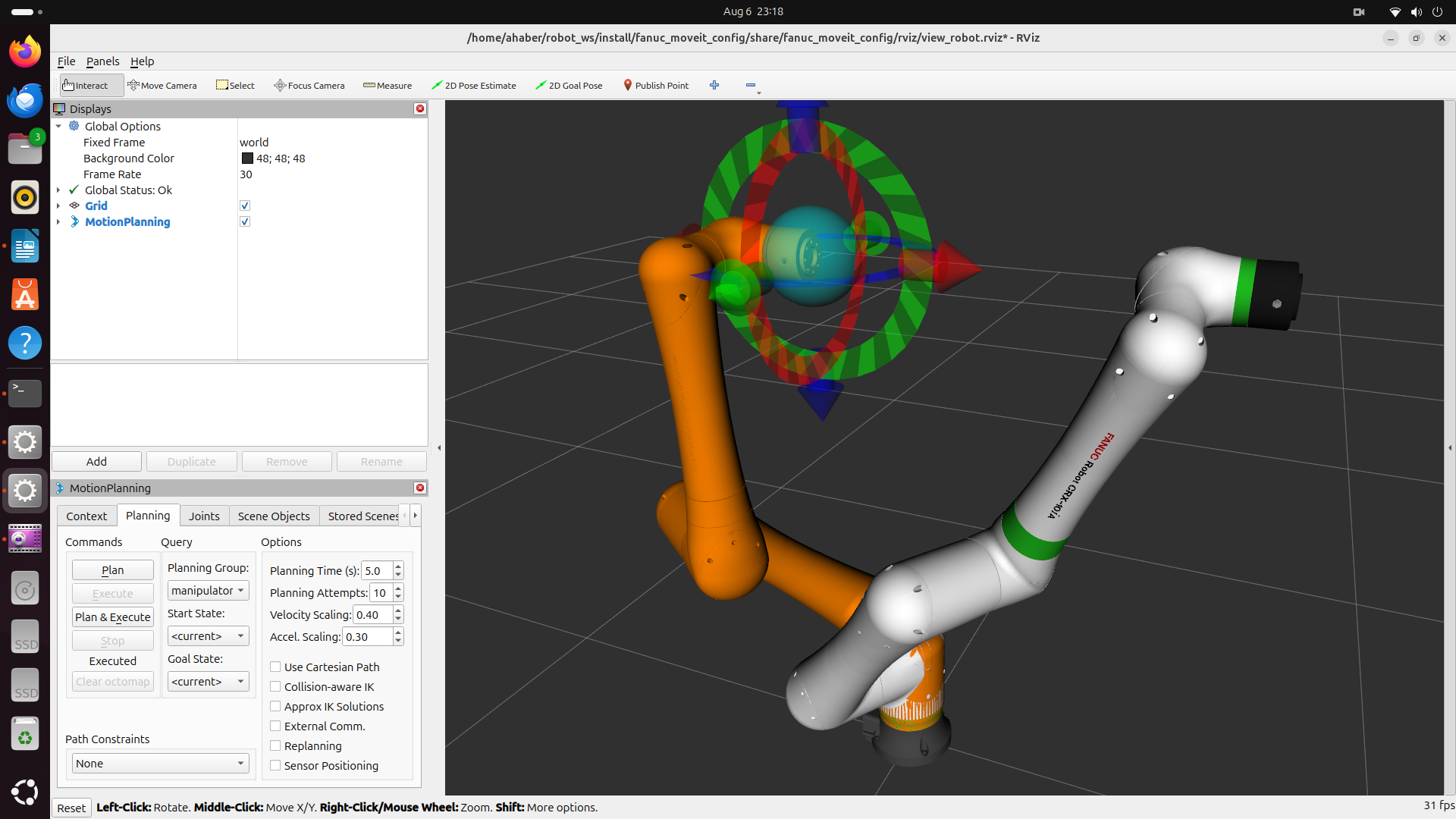
ros2 launch fanuc_moveit_config fanuc_moveit.launch.py robot_model:=crx10ia use_mock:=trueYou can easily modify the simulation for the following robot models by changing the robot_model parameter:
CRX-3iA
CRX-5iA
CRX-10iA
CRX-10iA/L
CRX-20iA/L
CRX-30iA
CRX/30-18A